New Keyboard and Mouse
My experience choosing a mechanical keyboard and gaming mouse after eight years with my old peripherals.
Zach Robichaud
Table of Contents
New Keyboard and Mouse
After about eight years, I finally replaced my deteriorating keyboard and mouse. The research led me into the world of mechanical keyboards and gaming mice.
Choosing a Mechanical Keyboard
The options are endless. Here's what I considered:
- LED Backlighting - Adds visual appeal and helps locate keys in dim lighting.
- Switch Types - Each color has a distinct feel:
- Cherry MX Red - Smooth, linear feel ideal for gaming
- Cherry MX Blue - Tactile with audible click, satisfying for typing
- Textured Keys - Provide better grip and tactile feedback.
- Price - Mechanical keyboards range from budget-friendly to premium. They're built to last, so the investment pays off over time.
What I Chose
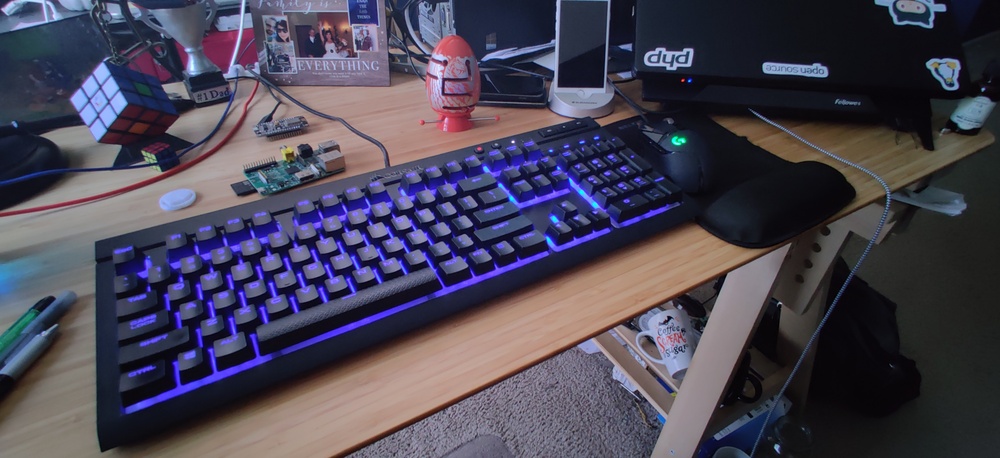
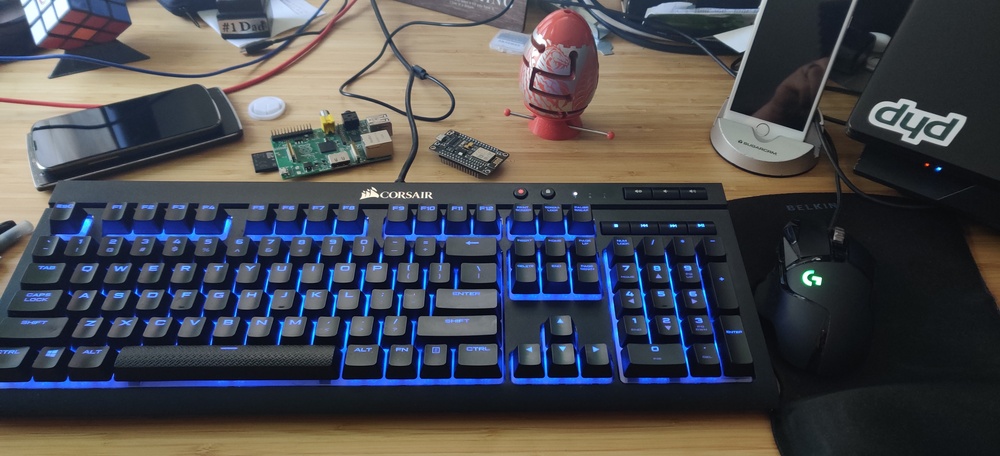
- Keyboard: Corsair K68 (~$73) - Durable construction that handles spills and dust, LED backlighting, and dedicated multimedia controls
- Mouse: Logitech G502 Hero (~$47)
My Keyboard Preferences
I prefer quiet keyboards with light, easily pressed keys and short travel distance. The soft whisper of the keys enhances my typing experience, and the shorter travel reduces strain.
Why I Love the G502 Hero
The G502 Hero has 11 programmable buttons, which is perfect for macros and shortcuts. I can customize it for gaming or streamlining work tasks.
Other features I appreciate:
- On-mouse sensitivity adjustment - No need to dig through software settings
- Ergonomic design - Comfortable for extended use
- Onboard memory - Saves settings directly on the mouse
- Customizable RGB lighting - Adds some flair to my workstation
For the price, the G502 Hero exceeded my expectations.
How was this article?
Related Posts
My First Custom PC Build
My first custom PC build using AMD Ryzen, and why I finally took the plunge into building my own workstation.

New Carbon Technology That Allows Microchips to Heal
Exploring how graphene-based technology could enable self-healing microchips.
Comments (0)
No comments yet. Be the first to share your thoughts!